

HOST tab overview
HOST is the default tab when you open the admin-panel. Everything related to the entire host machine lives here. AI agent-specific settings are in their own OC-1 / OC-2 / HM-3 tabs.
Layout
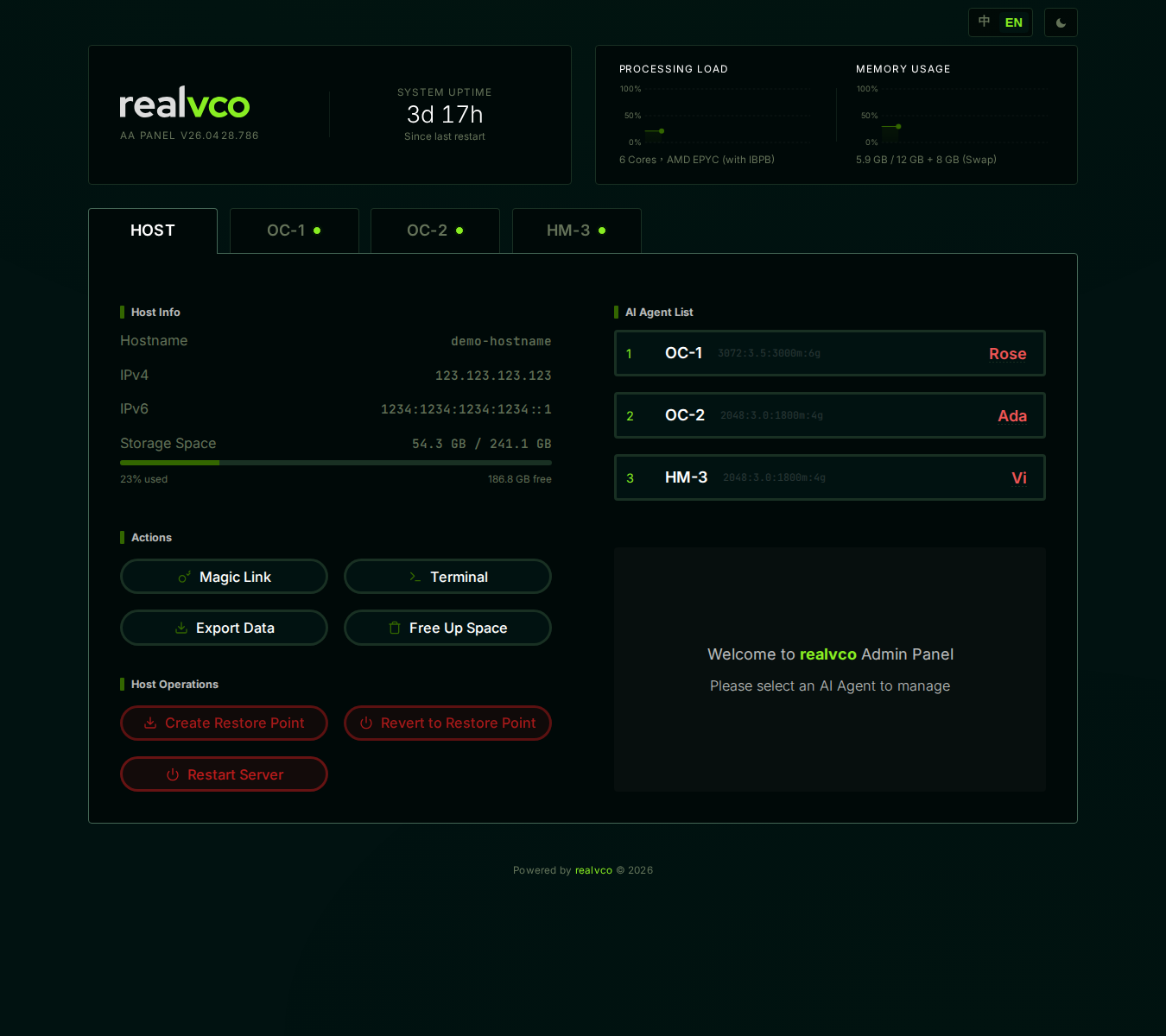
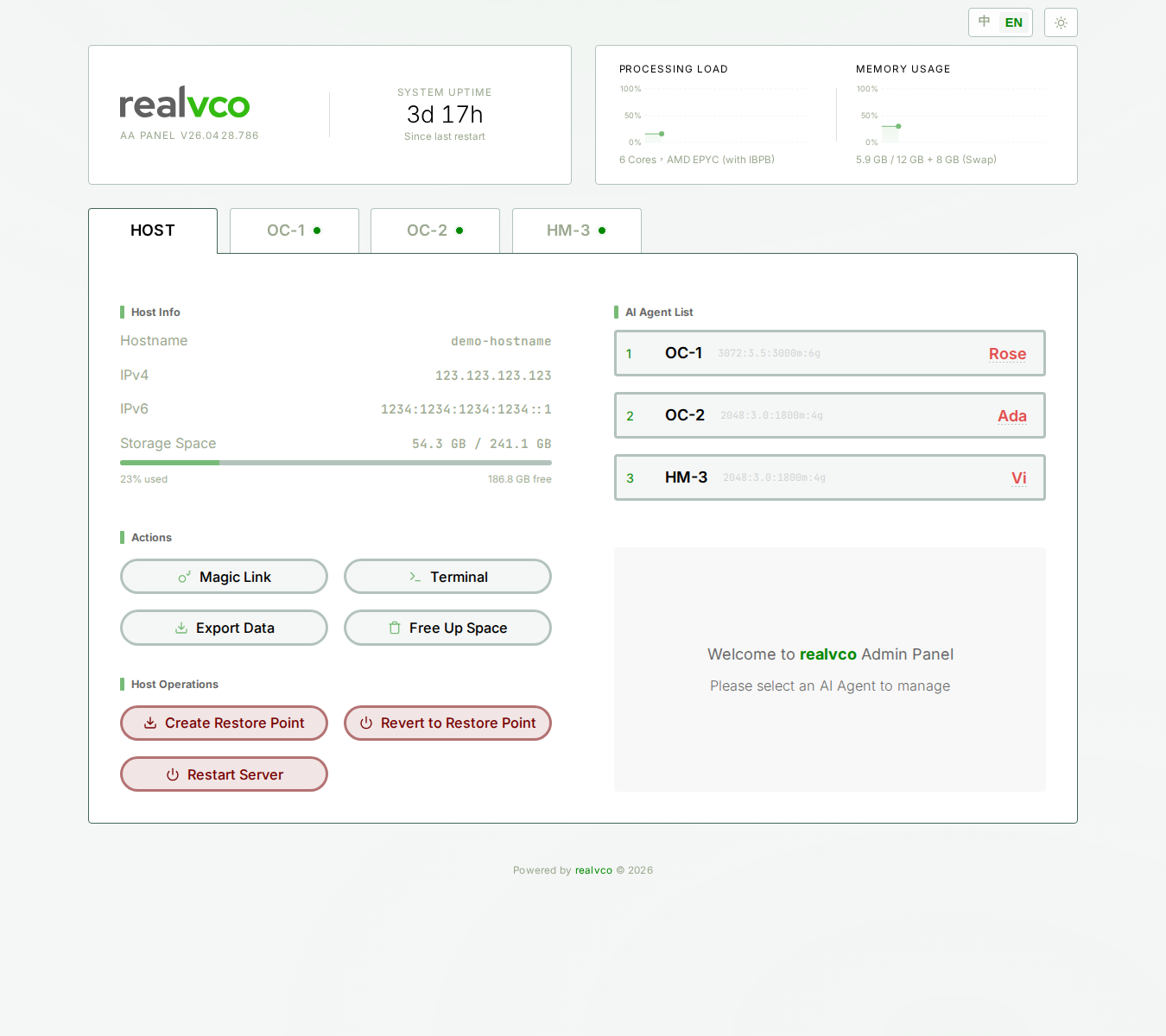
The screen is split two columns:
Left column
| Section | Contents | Detail |
|---|---|---|
| Host Info | Hostname, IPv4, IPv6, Storage Space | Host Info section |
| Actions (4 buttons) | Magic Link, Terminal, Export Data, Free Up Space | Actions section |
| Host Operations (3 red buttons) | Create Restore Point, Revert to Restore Point, Restart Server | Host Operations section |
Right column
| Section | Contents | Detail |
|---|---|---|
| AI Agent List | Three AI agents (OC-1 / OC-2 / HM-3) — nicknames, resource allocation, status | AI Agent List |
| Welcome panel | ”Welcome to realvco Admin Panel — Please select an AI Agent to manage” | — |
Top-bar global elements
Top-left: “realvco AA PANEL Vxxx” logo + SYSTEM UPTIME (how long the host has been running since last restart).
Top-right: two buttons:
| Button | Function |
|---|---|
| 中 / EN | Switch UI language |
| Moon / Sun icon | Switch dark / light theme |
Plus two live charts: PROCESSING LOAD + MEMORY USAGE.
Where to go next
By task:
- Want to know what hostname / IP / storage mean → Host Info section
- Want to share Magic Link / open terminal / export data / free up space → Actions section
- Want to create restore point / rollback / restart → Host Operations section
- Want to see AI agent status → AI Agent List
- Want to configure an AI agent → switch to AI Agent tabs
Related
- First-time login — Haven’t logged in yet? Start here
- AI Agent tab overview — What you see after switching to OC-1 / OC-2 / HM-3