

Home sub-tab
When you click into any AI agent tab (OC-1 / OC-2 / HM-3), it defaults to the Home sub-tab. This is your starting point for interaction.
Where to find
OC-1 (or OC-2 / HM-3) tab → Home sub-tab (default selected)
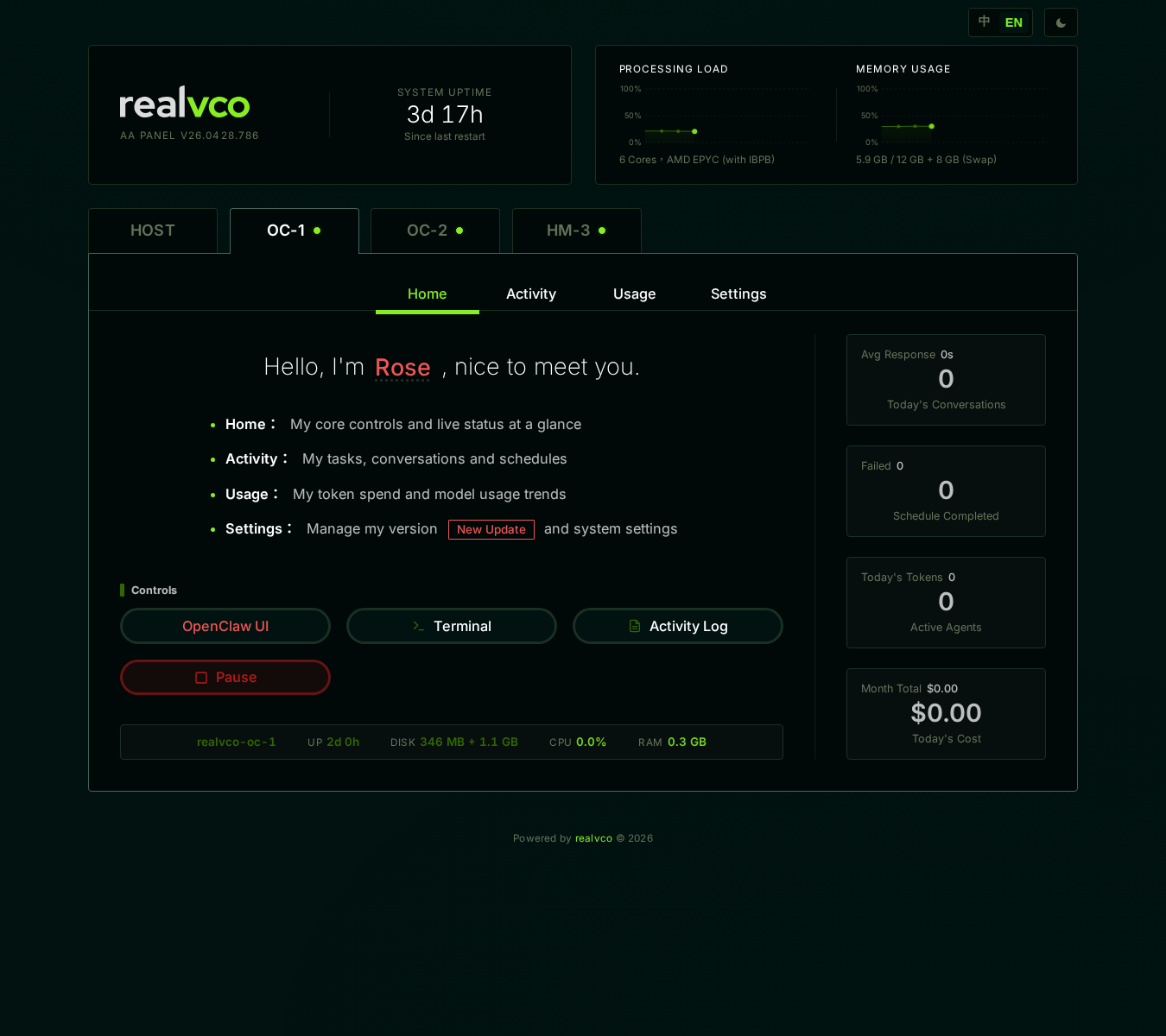
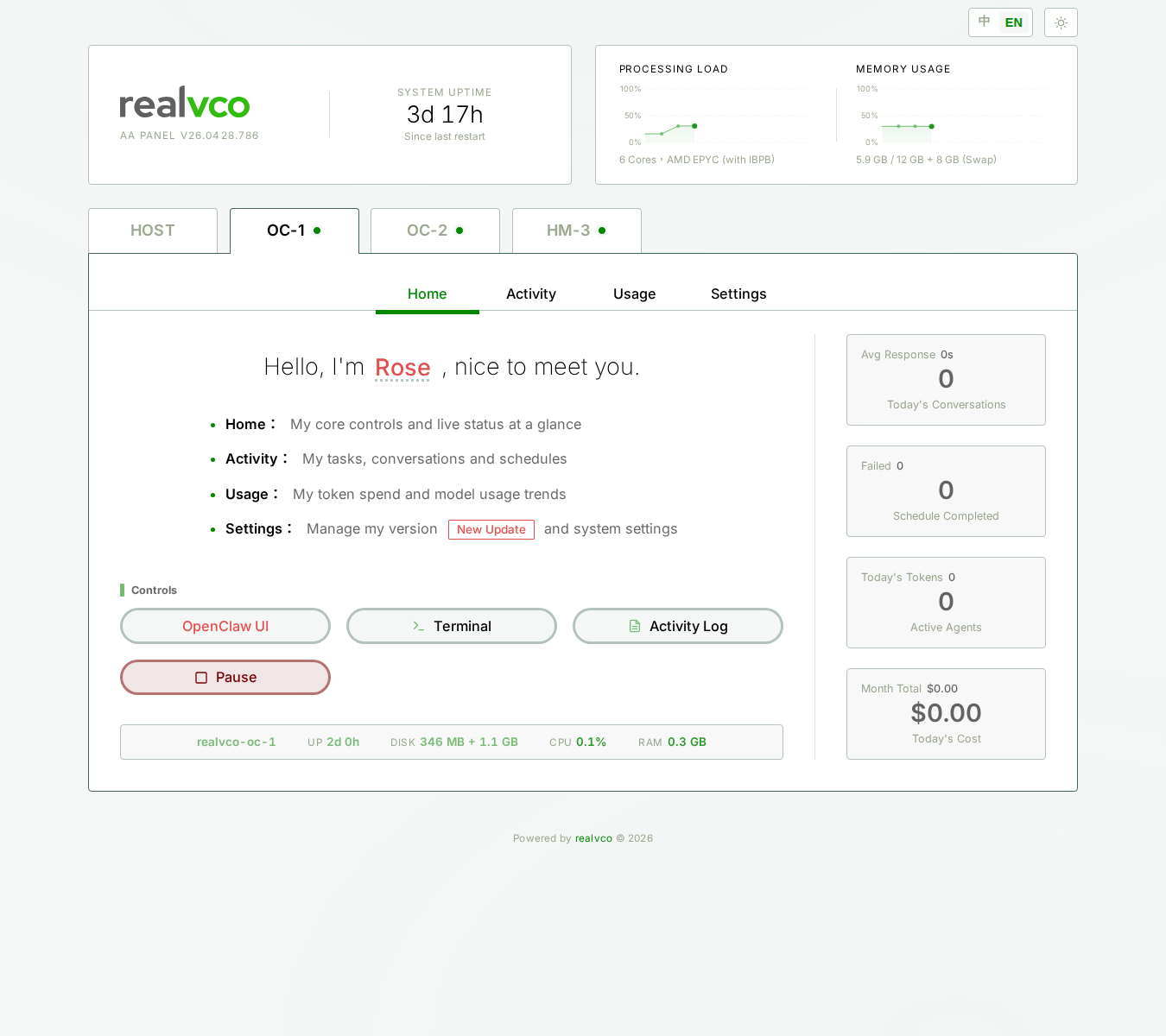
What the Home sub-tab shows
| Section | Content | Action |
|---|---|---|
| Role card | Nickname (red), engine version, current status (Running / Paused) | View |
| Status indicator | Container running / stopped / starting | View |
| OpenClaw UI or Hermes UI entry | Click → open chat in new tab | Click |
| Pause / Resume button | Temporarily stop this AI agent (others unaffected) | Click |
| Recent activity summary | Last X hours’ chat count, message count | View |
How to chat with the AI
First time
- Click the Home page’s OpenClaw UI (or Hermes UI) entry
- Browser opens a new tab loading the chat interface
- Type in the input → send → AI responds
After
The chat URL is preserved — bookmark that tab, click directly next time (no need to go through admin-panel).
Pause / Resume
When to use
- AI agent not responding, not generating: pause 5 sec then resume — usually recovers
- Want to stop and save tokens for a while (paused = no chat possible, no API quota usage)
- Before upgrade or major settings change — pause for clean environment
How
- Click Pause button — confirms
- Confirm → container stops, chat disabled
- To resume: back to Home, click Resume (5-10 sec to come back up)
⚠️ Pause doesn’t clear chat history — only stops the container. History persists.
What you’ll see
Signs of normal operation:
- Home role card shows “Running” + green light
- OpenClaw UI entry clickable
- Chat interface input enabled
- AI responds within 5-15 seconds (model-dependent)
Signs of trouble — see below:
| Issue | What to do |
|---|---|
| Home shows “Stopped” / red light | Click Resume to retry |
| OpenClaw UI entry shows 404 | Host might have just restarted, wait 1 min |
| AI not responding, input disabled | Activity sub-tab — check for errors |
| Stuck on “thinking” > 1 min | Pause → 5 sec → Resume |
| All 3 AIs broken | Restart Server |
Related
- AI Agent tab overview — 4 sub-tab map
- Activity sub-tab — Where to look when AI gets stuck
- Usage sub-tab — See how many tokens AI used