

Activity sub-tab
The second sub-tab of an AI agent. Timeline-style log of all AI activity — chat events, scheduled tasks, errors.
When to use: “Why didn’t AI reply”, “Did yesterday’s schedule run”, “Any recent errors”.
Where to find
OC-1 (or OC-2 / HM-3) tab → Activity sub-tab
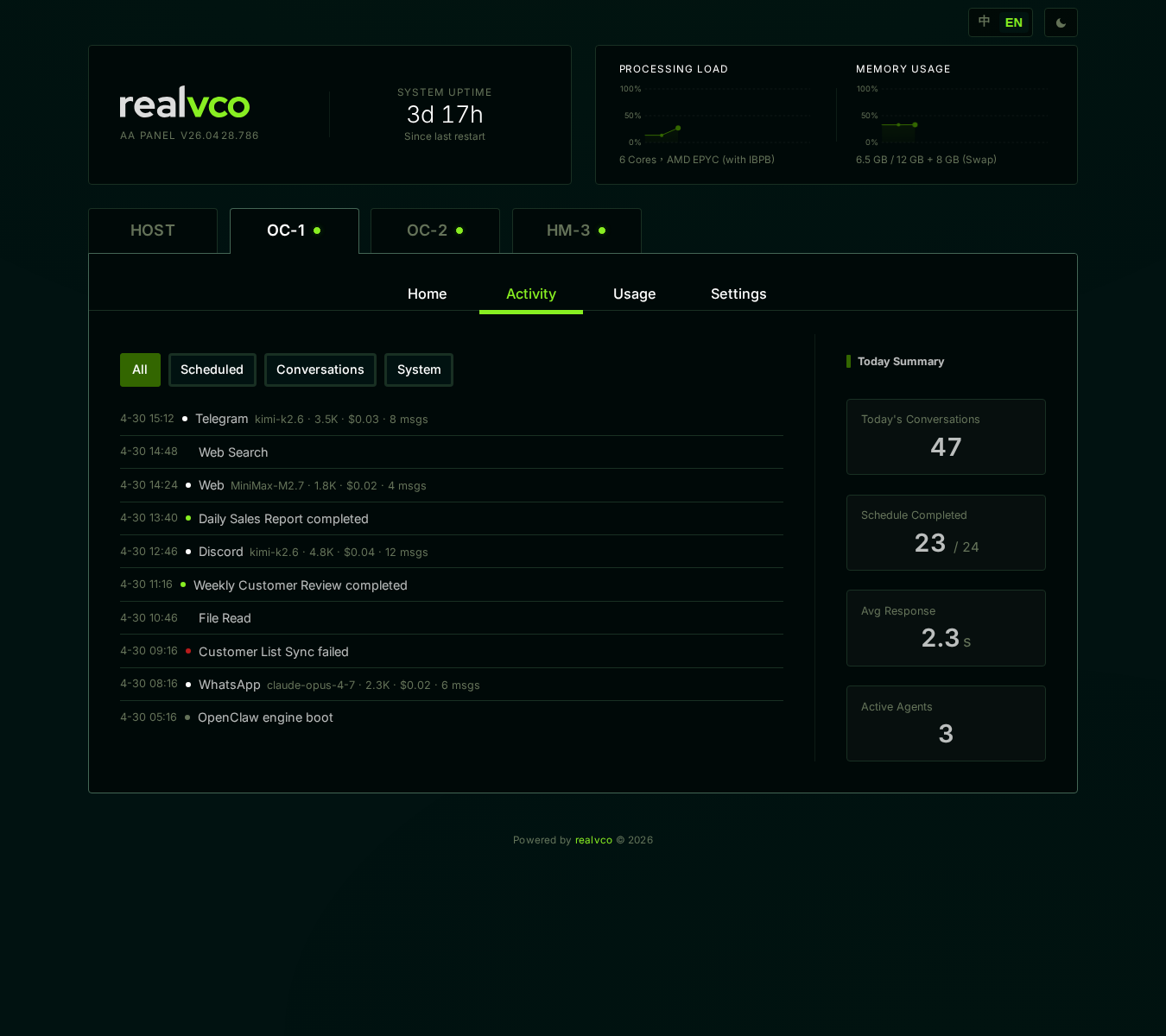
Three event types
| Type | Example | Why it appears |
|---|---|---|
| Conversation | User sends message → AI replies | You interact with AI |
| Scheduled Task | ”Daily 09 summarize yesterday’s messages” status changes | A schedule you set up via chat |
| Tool Use | AI called Web search / ran command / wrote a file | Action AI took autonomously |
Each event shows: timestamp, type icon, summary, status (success / failure / running).
Scheduled task statuses
| Status | Meaning | Next step |
|---|---|---|
| Scheduled | Hasn’t reached trigger time | Wait |
| Running | Currently executing (avoid restart during this) | Wait for completion |
| Completed | Successfully done | Check results |
| Failed (red) | Ran but errored | Click open to see error |
| Cancelled | You or AI cancelled | Check why |
How to debug with the Activity page
Scenario A: AI didn’t reply me
- Switch to Activity
- Look for “Conversation” events in the last 1 hour
- Found but failed → click to see error (usually API token / rate limit)
- No record at all → AI container might be stopped; back to Home sub-tab to check
Scenario B: A schedule didn’t run
- Switch to Activity
- Filter by “Scheduled Task” type
- Find around the expected trigger time
- Found failure → click to see error
- No record → schedule might never have been created; chat with AI to verify
Scenario C: I want to see what AI does in the background
- Switch to Activity
- Filter by “Tool Use” type
- See what commands AI ran, what pages searched, what files written
What you should see
| Observation | Means |
|---|---|
| Timeline has records from last 5 min | AI working normally |
| Continuous “failed” entries | Look at error message for root cause (API key / quota / network) |
| > 30 min no records | AI possibly offline, check Home for status |
| Scheduled task “running” stuck for long | Could be a long task, check reasonability; if not, pause agent and restart |
Related
- AI Agent tab overview — 4 sub-tab map
- Home sub-tab — Live AI status
- Usage sub-tab — Token & cost view